
Home / Equipment
AI evaluation from home: what equipment do you really need?
In short: You need less than you think. An ordinary laptop, stable internet, an up-to-date browser and, for the AI interview, a headset with a microphone and a webcam are enough. A second screen helps most. You do not need special medical software.
"Is my laptop enough?" and "What do I have to buy?" are among the most common questions before starting. Here is the honest list: what is necessary, what helps and what you can save.
The minimum
- Computer: a laptop or PC from the last few years, Windows or Mac. The work runs in the browser, so no special performance is needed. A tablet or phone is usually not enough, because many tasks need long texts and several windows side by side.
- Internet: stable matters more than fast. For the video AI interview the connection must not drop. If you live in the countryside, a mobile hotspot as a backup can save an interview.
- Browser: a current Chrome, Firefox or Edge. Some platforms recommend a specific browser; that is then stated in the instructions.
- Accounts: an email address you read regularly, and often a Google account, because many projects work with online documents.
Minimum requirements at a glance
This is not an official list from the platforms but what I would recommend as a lower limit so that browser, video interview and several open windows run smoothly.
| Device | At least | Better |
|---|---|---|
| Processor | Intel Core i5 or AMD Ryzen 5 (from about 2018) or Apple M1 | newer generation |
| Memory (RAM) | 8 GB | 16 GB if many tabs and documents are open |
| Storage | SSD with 20 GB free | SSD with 100 GB free |
| Operating system | Windows 10 or 11, current macOS | always keep it up to date |
| Screen | Laptop from 13 inches, Full HD (1920 × 1080) | additional 24-inch Full HD monitor |
| Internet | stable, about 10 Mbit/s download and 5 Mbit/s upload | cable or strong Wi-Fi, mobile hotspot as a backup |
| Webcam | 720p, built-in is fine | 1080p |
| Microphone | headset with microphone (USB or jack) | USB headset with noise cancelling |
| Browser | current Chrome, Firefox or Edge | Chrome if the platform recommends it |
You can test your internet speed for free, for example with a speed test in the browser. Upload matters most, because it decides how your video arrives in the interview.
For the AI interview
- Webcam: the built-in camera is enough. Make sure the light comes from the front, not from behind.
- Headset or microphone: improves sound quality noticeably. The AI must understand you well, otherwise your answer is rated lower. A simple headset is enough.
- Quiet room: no echo, no background noise, phone on silent.
What helps most: a second screen
When grading you read the project guidelines, the task and sometimes a clinical guideline at the same time. On a laptop screen you keep jumping between windows. With a second monitor you have the guidelines on the left and the task on the right. That saves time and mistakes, and in hourly projects that is exactly what counts.
A simple 24-inch monitor is plenty. If you read a lot, an external keyboard and mouse help too.
Software: less than you think
- The platform itself: you almost always work on tasks directly in the browser.
- Time tracking: some projects require an app that records your working time. If so, it is in the project information, and the platform explains the installation.
- PDF reader and word processor: for guidelines and your own notes.
- Guidelines at hand: bookmark the guidelines you need often. That is your most important tool.
Important: many projects explicitly forbid using AI tools such as chatbots for grading. This is checked and can cost you your account. Read the rules of every project carefully.
The workspace
- A desk where you can read with concentration, and a chair you can sit on comfortably for two hours.
- Fixed working times despite flexibility: most people grade better in blocks of one to two hours with breaks than on the side.
- A simple note template for justifications: the error, why it matters clinically, what would be correct. That saves time on every task.
What you can save
- A new high-performance laptop: an ordinary device is enough for browser work.
- Expensive courses before you start: the platforms train you per project. A few free courses still make your CV stronger.
- Special medical software or databases: not needed, freely available guidelines are usually enough.
Checklist before you start
- Laptop and browser up to date
- Internet stable, backup considered
- Headset and webcam tested
- Quiet place for the interview
- If possible: second screen
- Bookmarks for your most important guidelines
Which platforms are currently looking for doctors is in the jobs table on the home page, which I update every week.
Frequently asked questions
Is a laptop enough for AI evaluation?
Yes. An ordinary laptop with at least 8 GB of memory, a current browser and stable internet is enough. A tablet or phone is usually not enough.
How fast does my internet need to be?
A stable connection of about 10 Mbit/s download and 5 Mbit/s upload is enough for tasks and the video interview. More important than top speed is that the connection does not drop.
Do I need a webcam?
For the AI interview at Mercor and micro1, yes; the built-in camera is enough. Good light and a good microphone matter more.
Do I need special software?
No. Tasks run in the browser. Some projects require a time-tracking app, which the platform explains.
Is a second screen worth it?
Yes, it is the most sensible purchase: guidelines on the left, task on the right. It saves time and mistakes.
May I use AI tools when grading?
Mostly not. Many projects explicitly forbid it and check. Read the rules of every project.
* Personal referral links: if you sign up through them and work there, the platform pays me a bonus. Nothing changes for you. This site is independent of the platforms.
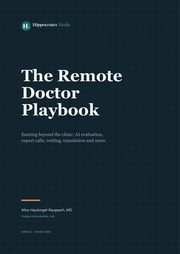
Every way for physicians to earn remotely without clinical work, with a 30-day plan. PDF, 28 pages, €29.
Only in the playbook:
- Step-by-step application routes for 5 more income options
- A worked grading example and an assessment checklist
- Outreach templates and rate-negotiation scripts
- Taxes, VAT, insurance and your employment contract
- A 30-day plan